Artificial intelligence companies continue to train and improve their models using massive amounts of online content. Crawlers like GPTBot (OpenAI), ClaudeBot (Anthropic), CCBot (Common Crawl), and PerplexityBot are scanning billions of pages, and your website might be one of them.
The problem? Most site owners don’t know whether AI bots can access their content. Some businesses want to block AI from using their work for model training, while others want to allow it but with clear rules.
That’s where HarborByte’s AI Access Checker (aiaccesschecker.com) comes in — a free, no-login tool that tells you instantly which AI bots can and can’t crawl your site.
Why AI Bot Access Matters
AI crawlers can:
-
Copy your blog posts, product descriptions, or images into massive training datasets.
-
Extract data from your customer-facing content.
-
Use your brand’s material without direct permission.
For some businesses, this is fine — free exposure can be beneficial. But for others, protecting intellectual property and client data is critical.
If you want basic control over whether AI bots index your site, you need the correct directives in:
-
robots.txt (traditional crawler rules)
-
llms.txt (an emerging convention for AI bot permissions)
-
Meta tags (like noai and noimageai)
Meet llms.txt — An Emerging AI Access Standard
llms.txt has emerged as an AI-focused counterpart to robots.txt. It is designed to help site owners explicitly allow or block AI crawlers and define rules for specific bots.
Example:
User-agent: GPTBot
Disallow: /

User-agent: ClaudeBot
Allow: /
This file works alongside robots.txt and AI-specific meta tags to give you more control.
The catch? Many sites either don’t have llms.txt at all, or have it set up incorrectly — leaving them exposed.
How the AI Access Checker Works
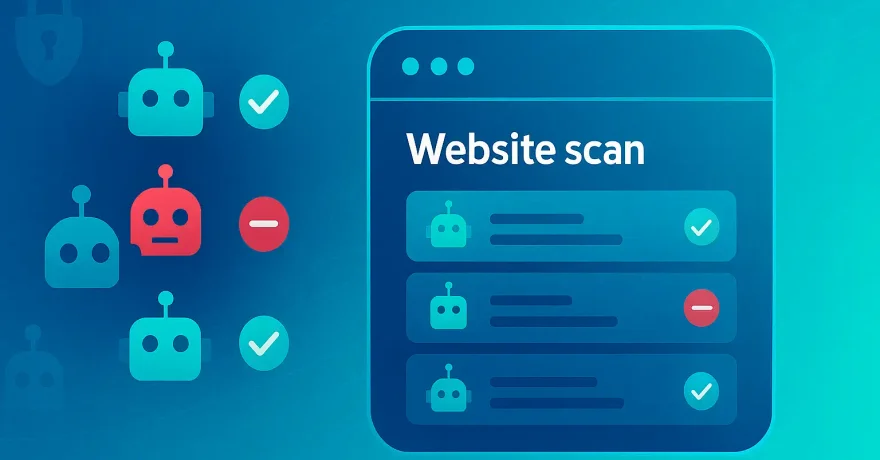
The HarborByte AI Access Checker quickly scans your domain and tells you:
-
Whether robots.txt or llms.txt exists and what’s inside.
-
Which AI bots are currently allowed or blocked.
-
If AI-blocking meta tags are in place.
-
Easy, copy-and-paste fixes for misconfigurations.
No account. No forms. Just instant results.
How to Check Your Site in Seconds
-
Go to AI Access Checker at aiaccesschecker.com.
-
Enter your website URL.
-
View the results grid showing each AI bot and whether it can crawl your site.
-
Follow the suggested fixes if you want to change your settings.
-
(Optional) Contact HarborByte for help implementing blocks or permissions.
Example: A Common Mistake We See
A small marketing agency thought they had blocked GPTBot by adding:
User-agent: GPTBot
Disallow: /*
Unfortunately, the /* was unnecessary and caused parsing issues. GPTBot ignored it and kept crawling.
The AI Access Checker flagged the error instantly and provided the correct syntax:
User-agent: GPTBot
Disallow: /
Problem solved in minutes.
Protect Your Content — or Share It on Your Terms
Whether you want to block AI crawlers completely or allow them under specific conditions, the first step is knowing your current status.
The AI Access Checker makes that easy:
-
Instant visibility
-
Zero technical guesswork
-
Actionable recommendations
🔍 Try it now: Check AI bot access to your site in seconds →
About HarborByte
HarborByte is a Chicago-based web development and consulting agency helping businesses improve security, performance, and digital strategy. From privacy tools like the AI Access Checker to full-scale site builds, we make technology work for you.